Resource Management
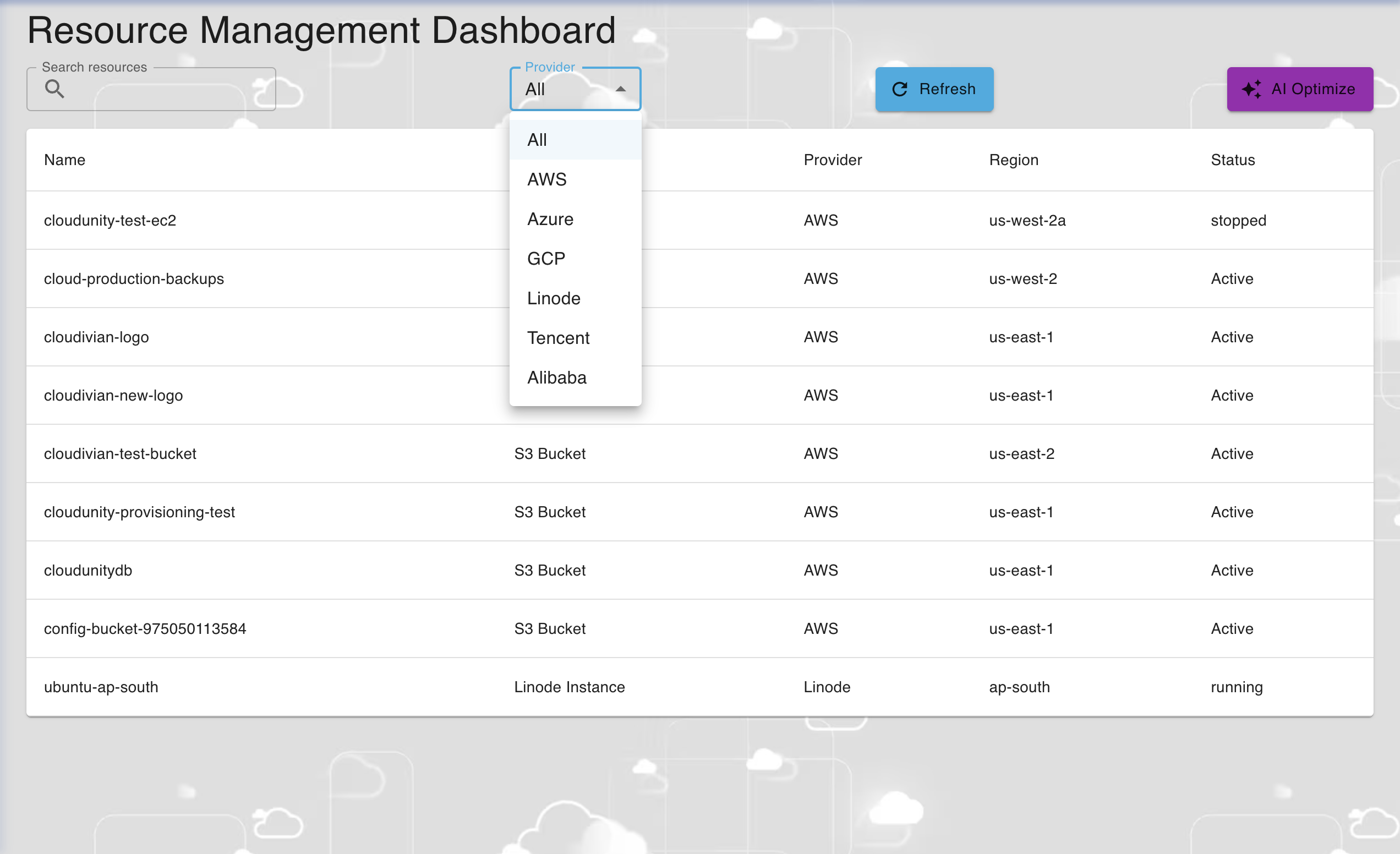
The Resource Management Dashboard provides a overview of all the resources in either all the Cloud Service Providers or a selected Cloud Service Provider based on the selected option of "provider" dropdown menu. The resource details displayed are:
-
Name: Unique name provided for the resource.
-
Type: Type of the resource.
-
Provider: Cloud Service Provider of the resource.
-
Region: Region of the resource.
-
Status: Status of the resource, whether the resource deployed is active or not.
Upon enetring the Resource Management Dashboard, you will be greeted with the following screen shown below

Resource Managemnt Tools
You can optimise your resource management with our following tools:
-
Search Resources
-
Provider
-
AI Optimize
Search Resources
The Search Resources search bar allows you to look for specific resources within the Resource Management Dashboard based on entered name.
Provider
The Provider dropdown menu allows you to choose to either display resources of all Cloud Service Providers or just a selected Cloud Service Provider.
The image below provides the accurate depiction of the dropdown bar which allows you to select your Cloud Service Provider.
AI Optimize
The AI Optimize tool allows you to optimize your cloud resources and increase your savings by providing recommendations and potential savings per month if these recommendations are deployed using AI. These recommendations can be categorised using the "Category" dropdown box. Available categories for such categorisation are: All Categories, Compute, Database and Storage.
